I've had a Kobo Clara for a couple of weeks now. I love the device itself, but managing the actual library on it feels like an afterthought: dragging files around in Finder into what looks like an USB Flash Drive. Adding to it that I couldn't see what I've read unless I had the device in my hand, I was left wanting a bit more. So I built my own application. It's called KoboManager (working title), a native macOS app for managing my Kobo's library and tracking my reading.
I'd drag files onto the device's mounted volume and poke around folders just to see what was actually there. It worked, technically, but it felt clunky for something I have been doing quite often with my new device still having that lure to poke and prod. I wanted a real interface built around how I actually use the device.
The Library View
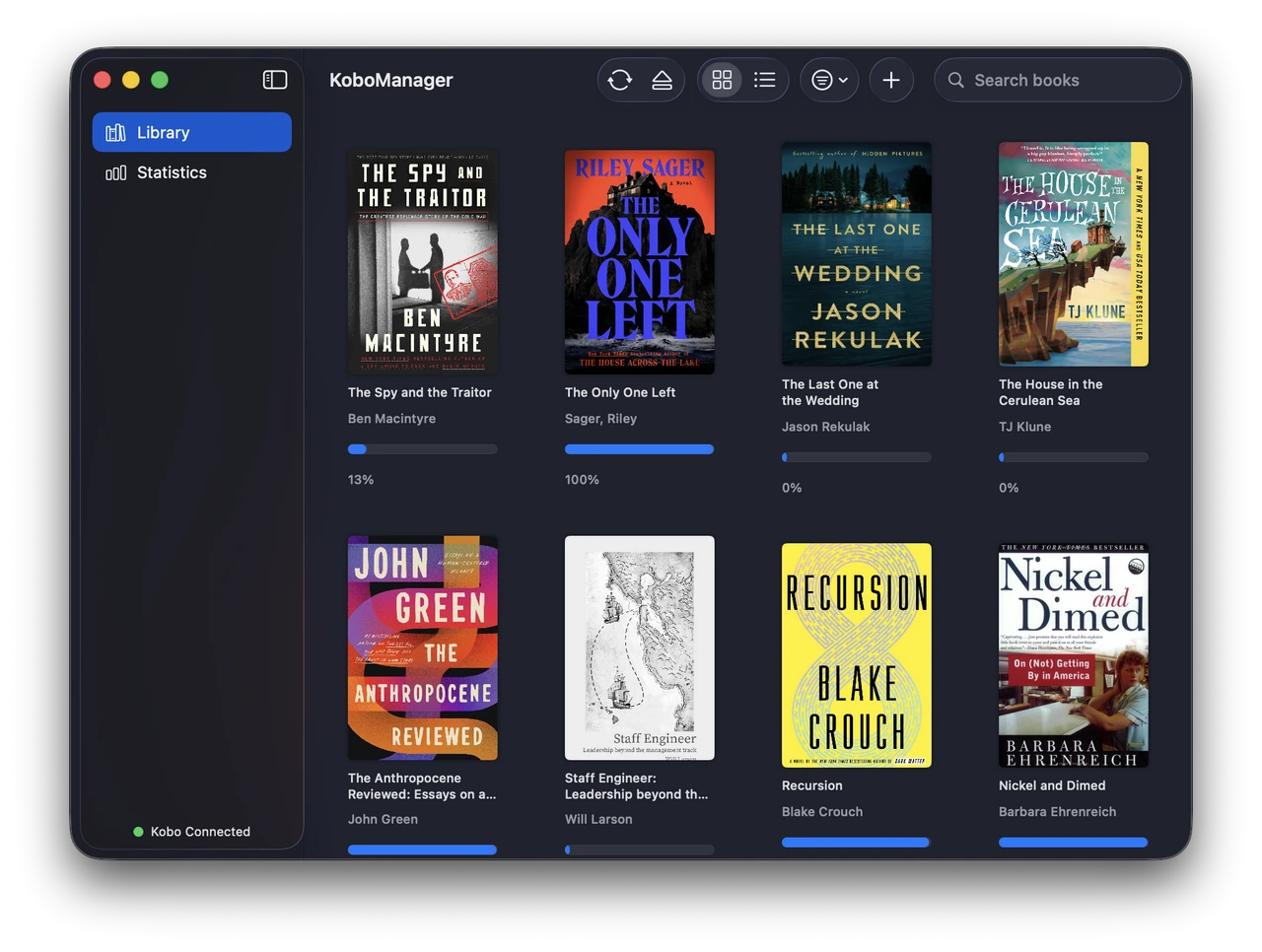
The core of the app is a library grid that mirrors what's actually on the device: cover art, title, author, and a progress bar showing how far along I am in each book. It's a simple view, but it's the one I open most. A quick glance tells me what's done, what's mid-read, and what's still sitting there at 0%. Adding books is just drag and drop onto the window.
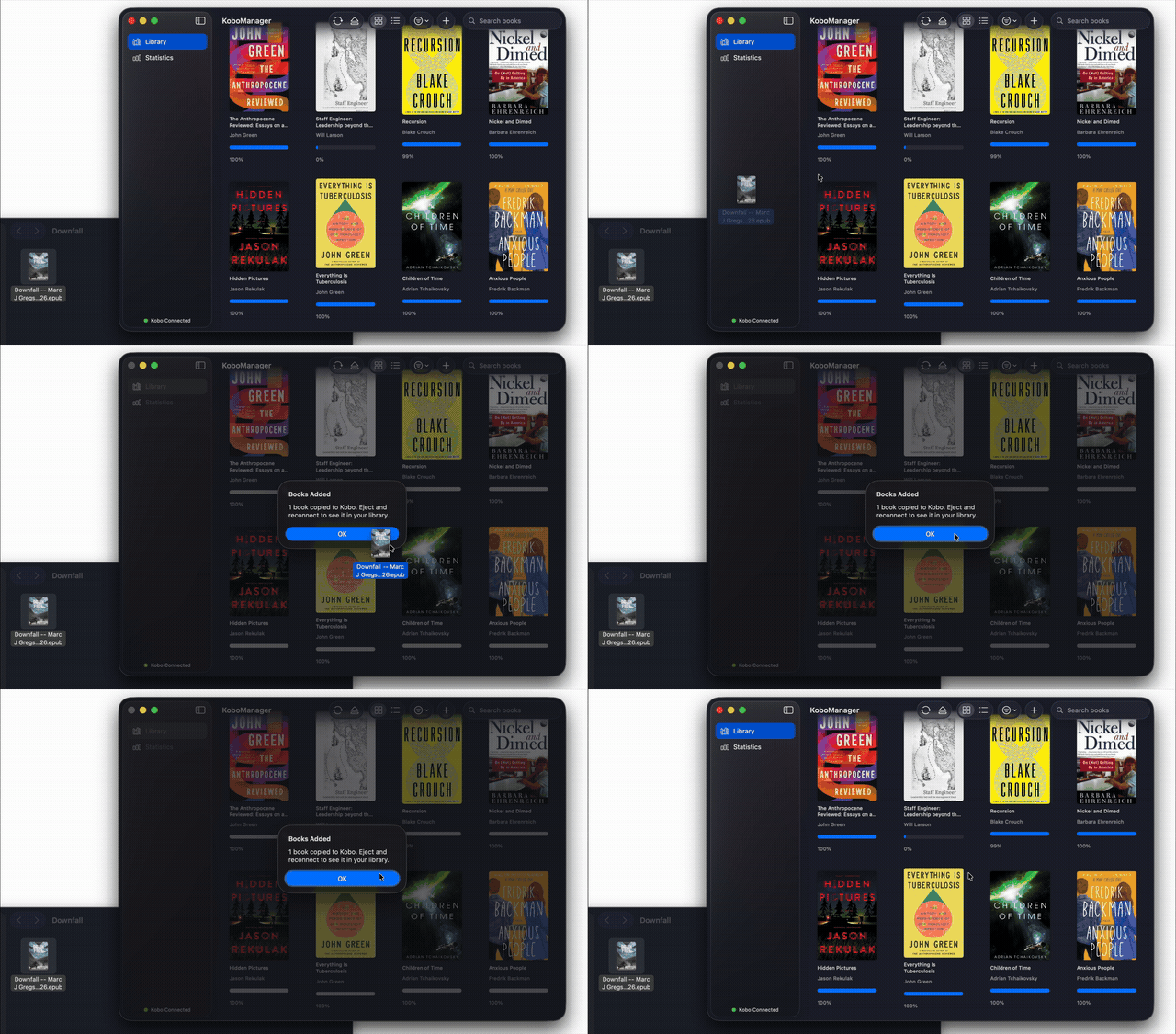
Connection status lives in the sidebar ("Kobo Connected"), and there are quick actions up top for syncing, ejecting the device safely, switching between grid and list views, sorting, and searching.
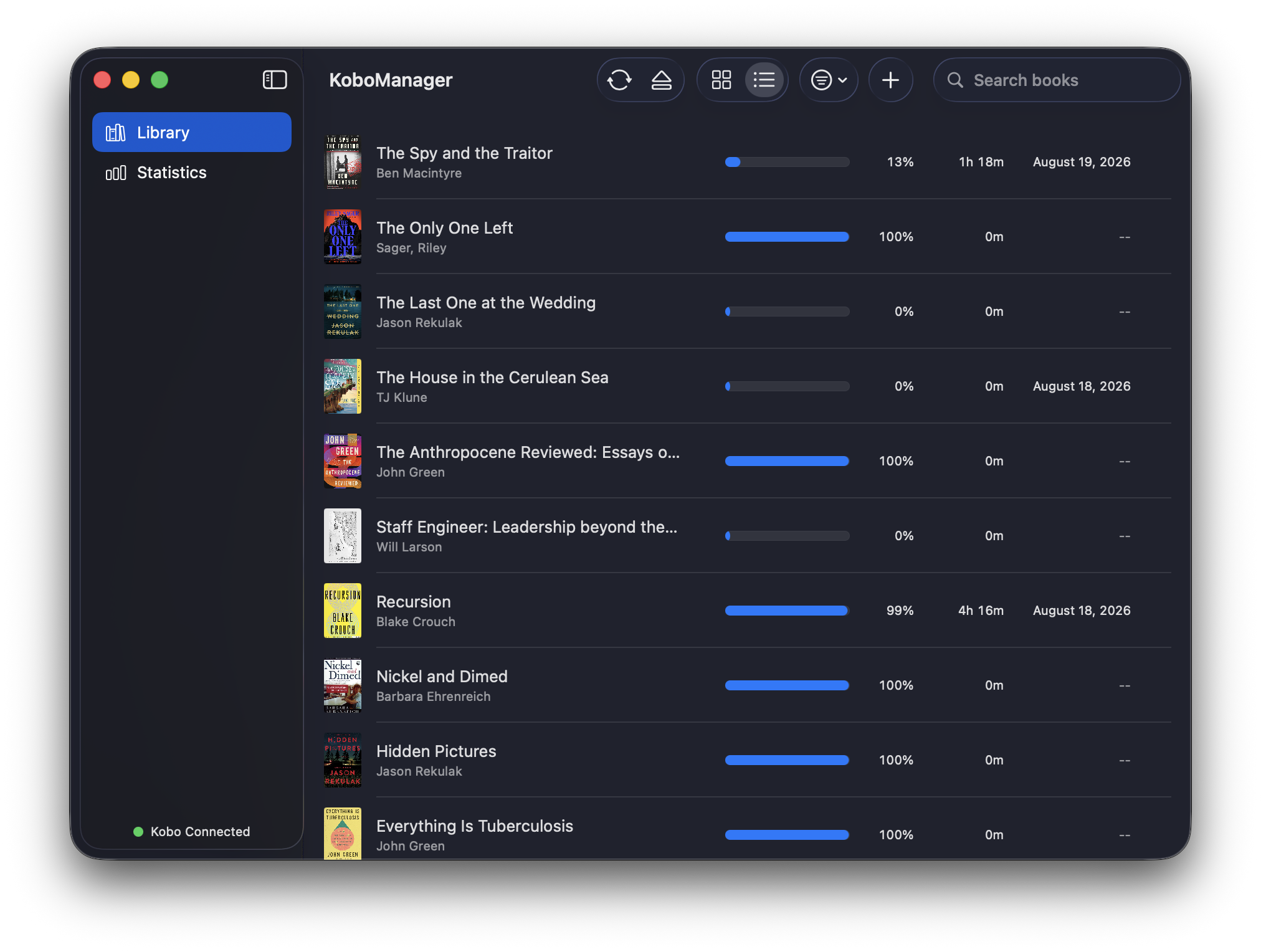
The list view trades cover art for density. Same library, but laid out as rows, with progress percentage, time read, and last-read date all visible at once. I reach for it when I'm scanning for something specific rather than browsing by cover.
Managing Books
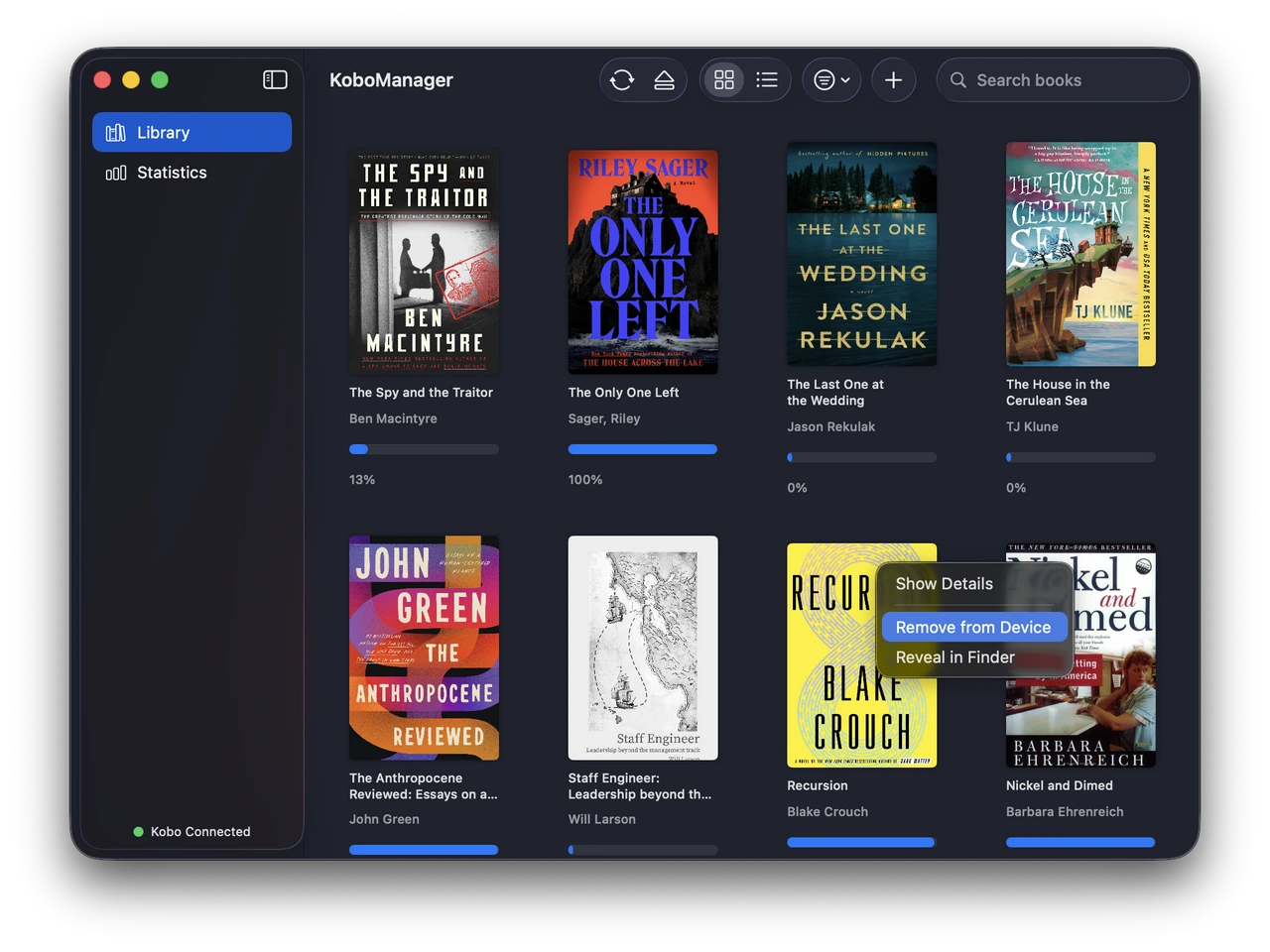
Right-clicking any book gives me a small context menu: Show Details, Remove from Device, and Reveal in Finder. That last one turns out to be more useful than I expected. Being able to jump straight to the actual file on the device's filesystem has saved me a few times when I wanted to double check something Kobo's own software just wouldn't show me. Even after removing a title from the device, it lives on with its stats in my app's library too, so I can keep track of what I read, without needing to keep everything on the device.
Per-Book Detail and Reading Stats
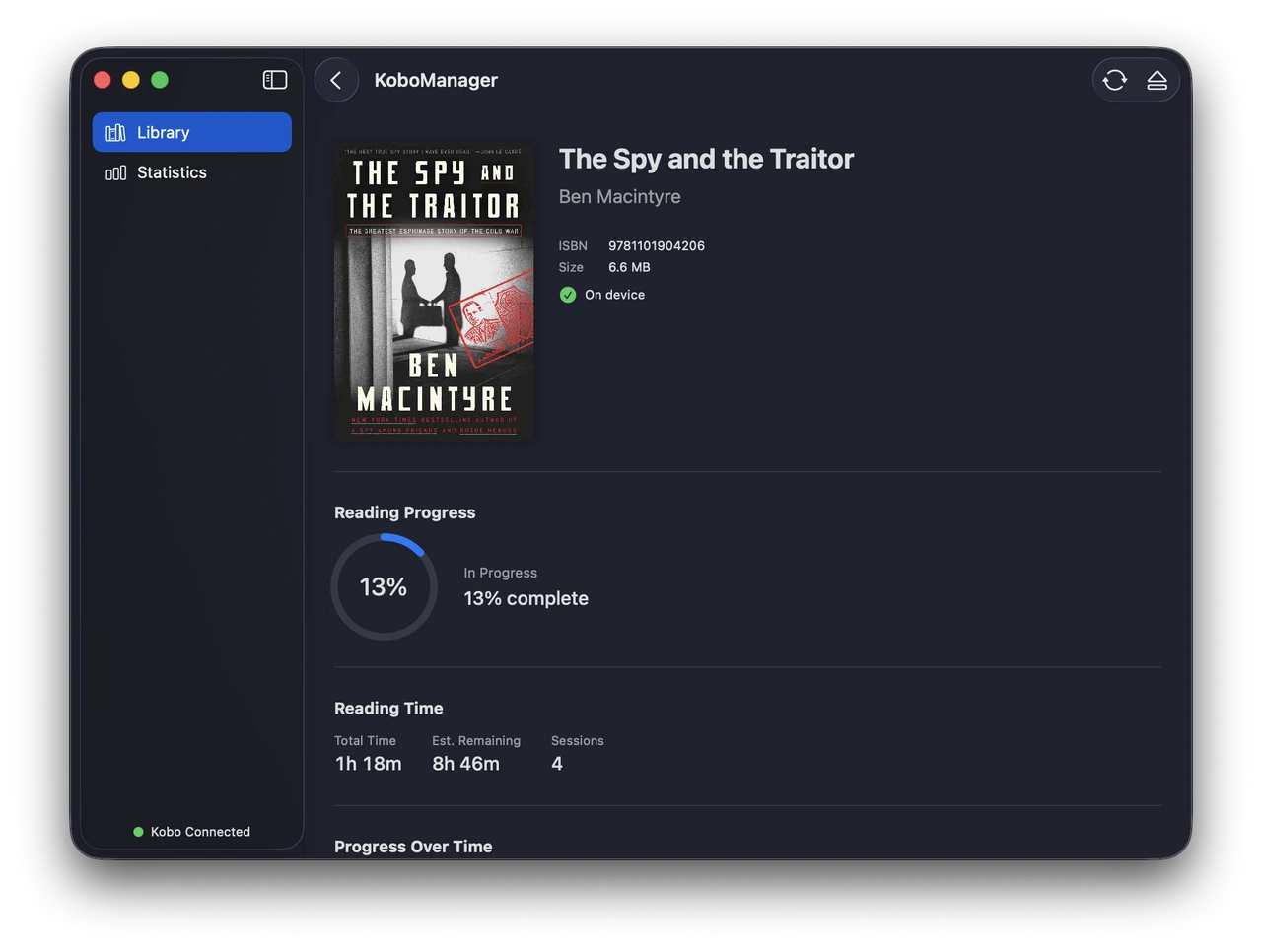
Clicking into a book opens a detail view with the metadata you'd expect (ISBN, file size, on-device status), plus something Kobo's stock experience doesn't surface well: actual reading analytics. There's progress as a percentage with a ring chart, total time spent reading, an estimated time remaining based on my pace, and a session count. For "The Spy and the Traitor," I can see I'm 13% in, have read for 1h 18m across 4 sessions, and I'm on pace for roughly 8h 46m more reading time before I finish it.
Overall Reading Statistics
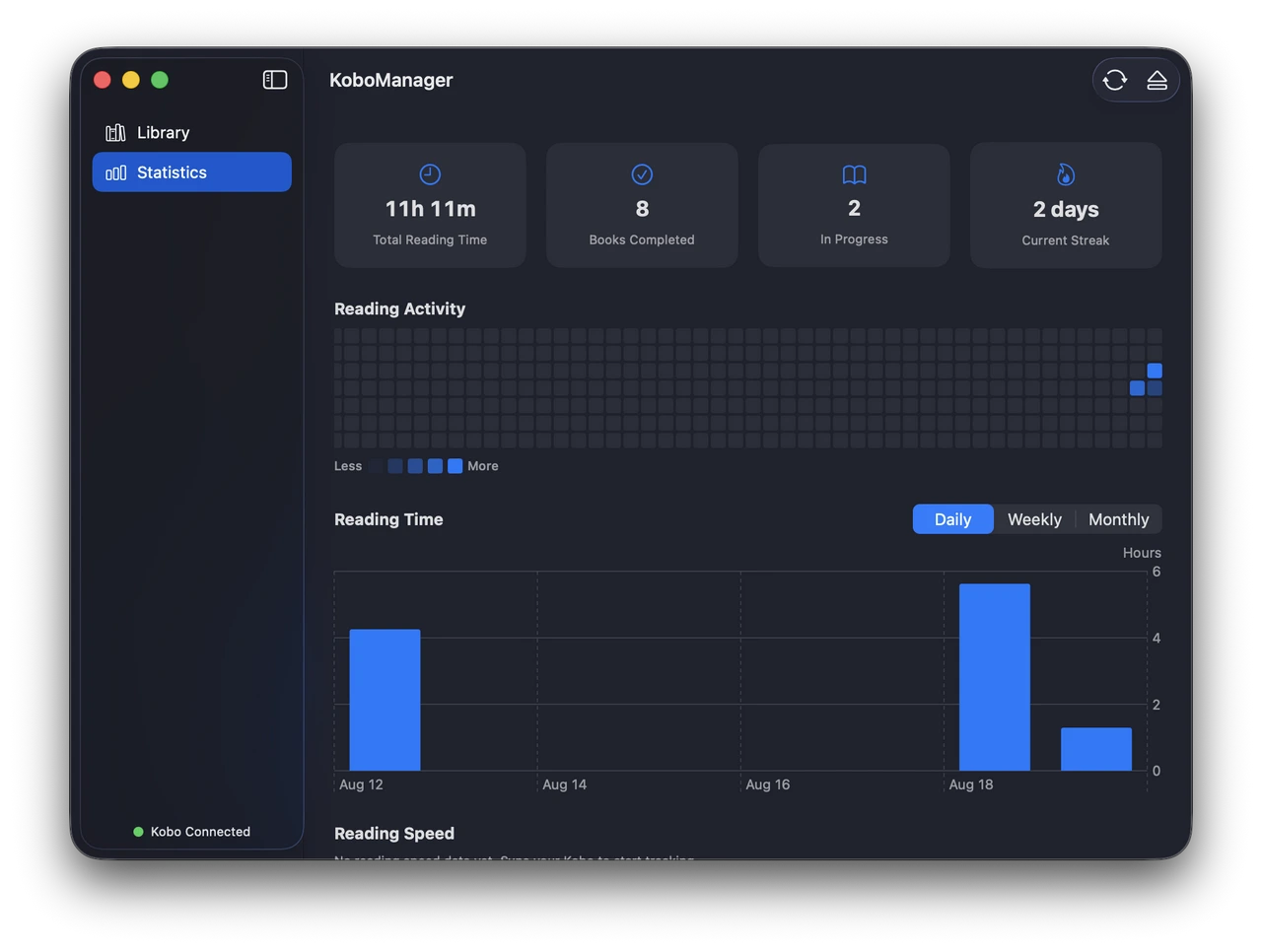
The Statistics tab zooms out to the whole library. Total reading time, books completed, books in progress, a current streak counter. There's a GitHub-style activity heatmap that gives me an at-a-glance sense of when I've actually been reading, plus a bar chart of reading time I can toggle between daily, weekly, and monthly views. Reading speed tracking is still a work in progress. It needs a few more sync cycles before there's meaningful data.
What's Next
I don't have firm plans beyond this. Mostly I wanted to share the process and show what's possible when you build the exact tool you wish existed. If there's enough interest from other Kobo owners dealing with the same Finder friction, I'd consider releasing it more broadly. For now, it's just the app I use every day.
Built in Swift with SwiftUI. KoboManager reads the Kobo's SQLite database directly over USB and keeps a local copy of it for generating the reading statistics.
Comments (0)
Leave a Comment